Wedge
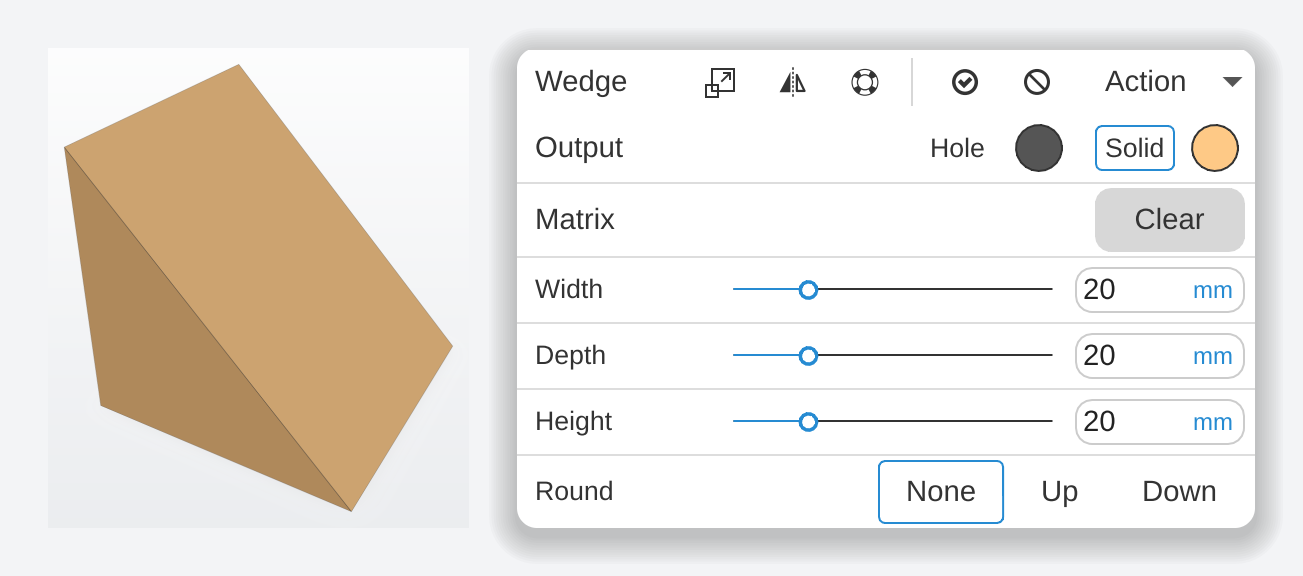
A triangular prism shape -- like a cube cut diagonally from one edge to the opposite edge. Useful for ramps, supports, and angled surfaces.
Parameters
- Width - Size along the X axis (default: 20mm)
- Depth - Size along the Y axis (default: 20mm)
- Height - How tall the wedge is at its tallest point (default: 20mm)
- Round - Shapes the sloped face: None (default) keeps it flat, Up bulges it outward in a curve, Down curves it inward
- Round Segments - How many steps make the curved face (default 15; 2 to 90). More is smoother. Shown only with Round set to Up or Down
- Grow From - Which side of the part stays where it is when you change its size: Center (the default) grows it the same amount on every side, Front Left keeps its front and left sides in place so it grows toward the back and right, and Back Right keeps its back and right sides in place so it grows toward the front and left. The sides are the part's own, so a part you have turned grows along its own sides. The bottom always stays where it is, so a taller part grows upward. It applies when Width or Depth changes, whether you type it or a formula changes it; other settings don't use it. It is the last row in the panel
Tips
- Wedges are great for creating ramps, angled brackets, and support structures
- Use Round Down for a curved ramp, or Up for a quarter-round molding
Related
- Half Wedge - A ridge with two sloped sides
- Pyramid - A four-sided pointed shape
- Cube - A rectangular box