Cube
A rectangular box shape with adjustable width, depth, height, and optional rounded edges. The Cube is one of the most commonly used primitives for building designs.
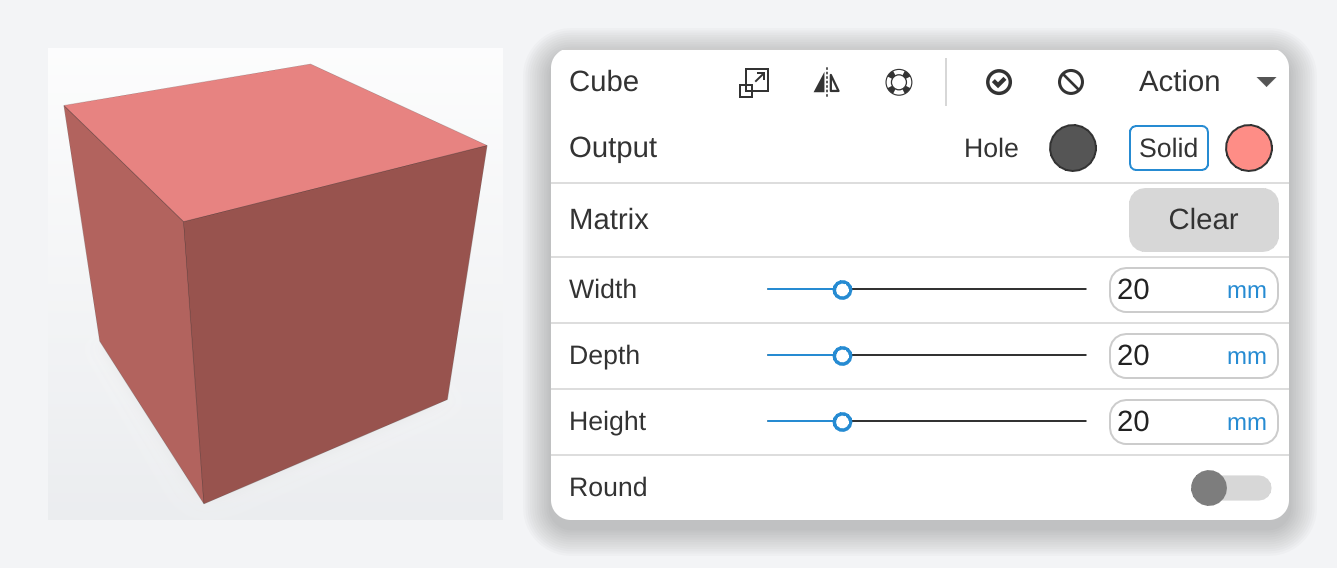
Parameters
- Width - Size along the X axis (default: 20mm)
- Depth - Size along the Y axis (default: 20mm)
- Height - Size along the Z axis (default: 20mm)
- Round - Off by default. Turn it on to round every edge
- Radius - The size of the rounding, in mm (default 3; the slider runs 0 to 20). Shown only with Round on
- Round Segments - How many steps make each rounded edge (default 9; the slider runs 1 to 20, and you can type up to 90). More is smoother. Shown only with Round on
- Grow From - Which side of the part stays where it is when you change its size: Center (the default) grows it the same amount on every side, Front Left keeps its front and left sides in place so it grows toward the back and right, and Back Right keeps its back and right sides in place so it grows toward the front and left. The sides are the part's own, so a part you have turned grows along its own sides. The bottom always stays where it is, so a taller part grows upward. It applies when Width or Depth changes, whether you type it or a formula changes it; other settings don't use it. It is the last row in the panel
Tips
- Use a Cube as the starting point for boxes, plates, brackets, and enclosures
- Enable Round for smooth, professional-looking edges
- The Radius cannot exceed half of the smallest dimension
- Combine a Cube with Subtract to create rectangular cutouts and slots