Cylinder
A round column shape with configurable diameter, height, and number of sides. The Cylinder is essential for creating pins, rods, holes, and round features.
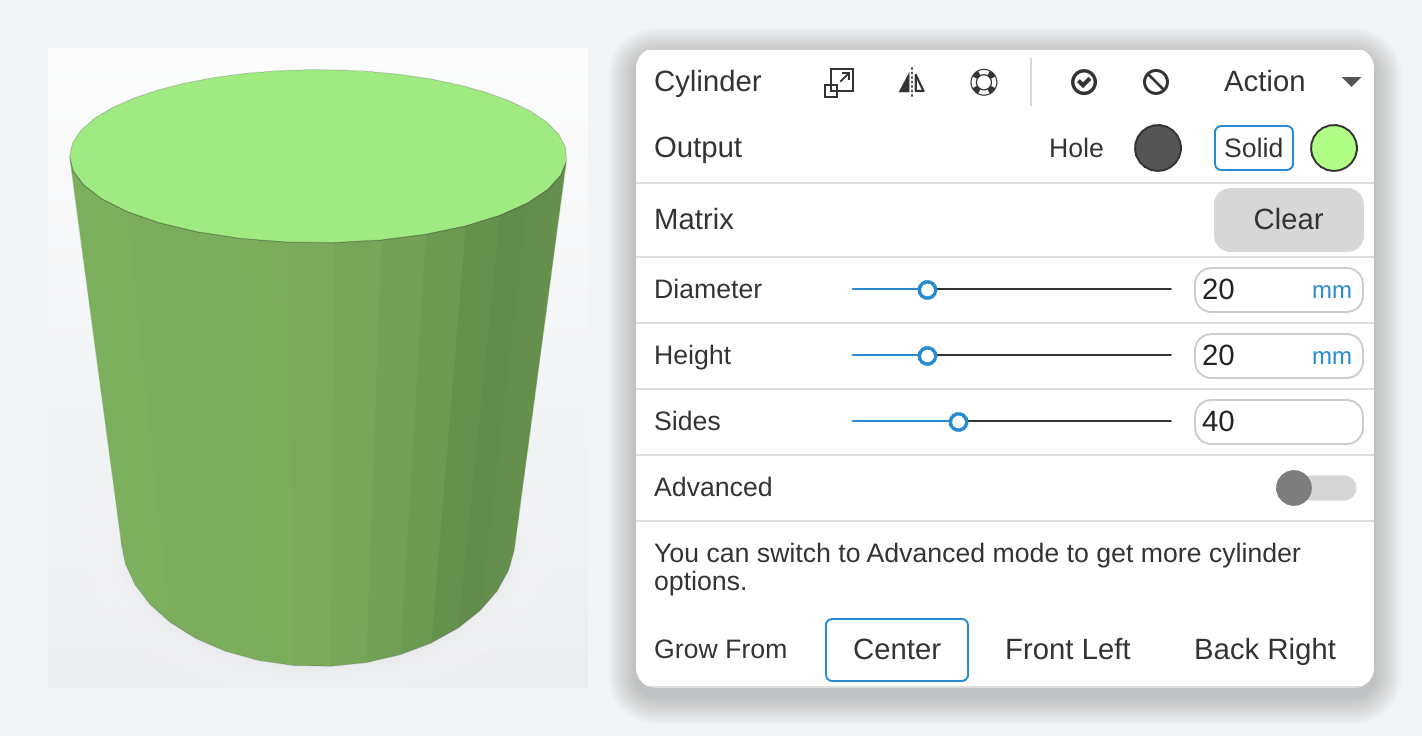
Parameters
- Diameter - The width from one side to the opposite side, in mm (default 20)
- Height - How tall the cylinder is, in mm (default 20)
- Sides - Number of segments around the perimeter (default 40; 3 to 360). Lower values create polygonal shapes (e.g., 6 for a hexagon)
- Grow From - Which side of the part stays where it is when you change its size: Center (the default) grows it the same amount on every side, Front Left keeps its front and left sides in place so it grows toward the back and right, and Back Right keeps its back and right sides in place so it grows toward the front and left. The sides are the part's own, so a part you have turned grows along its own sides. The bottom always stays where it is, so a taller part grows upward. It applies when Diameter or Diameter Top changes, whether you type it or a formula changes it; other settings don't use it. It is the last row in the panel, below the Advanced rows, and shows whether Advanced is on or off
- Advanced - Off by default. Turn it on for the options below
Advanced Parameters
- Diameter Top - The diameter of the top, in mm (default 20). It is separate from Diameter, so changing Diameter leaves it alone; set it differently for a tapered shape
- Starting Angle - Where the cylinder begins around its axis, in degrees (default 0; 0 to 359). Use with Ending Angle to create partial cylinders
- Ending Angle - Where the cylinder ends, in degrees (default 360). Less than 360 makes a pie-slice shape
Tips
- Set Sides to a low number to create regular polygons -- 6 for hexagons, 8 for octagons, etc.
- Use different Diameter and Diameter Top values to create truncated cones and tapered shapes
- Set Starting and Ending Angles to create pie-slice or arc shapes
- For a round hole, set a Cylinder's Output to Hole, or cut it out with Subtract
Related
- Cone - A cylinder that tapers to a point
- Half Cylinder - A cylinder cut in half lengthwise
- Tube - A hollow cylinder