Tube
A hollow cylinder with its own inner and outer diameters and a height: a pipe, washer or spacer. Add it as Tube from the 3D Primitives. (The Ring in the 2D Primitives is the flat version, a Ring Path.)
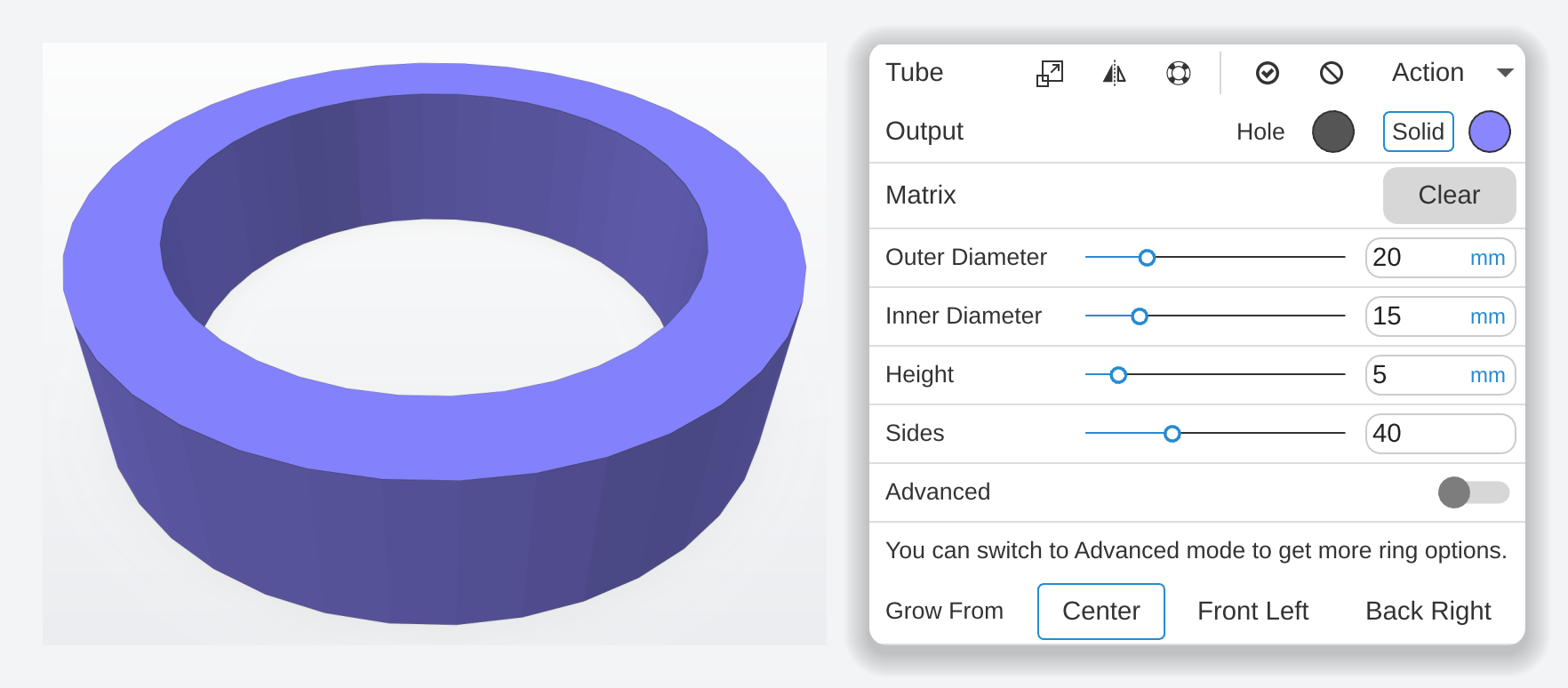
Parameters
- Outer Diameter - The outside width of the tube, in mm (default 20)
- Inner Diameter - The width of the hole through the middle, in mm (default 15). It always stays a little smaller than the Outer Diameter
- Height - How tall the tube is, in mm (default 5)
- Sides - Number of segments around the perimeter (default 40; 3 to 360)
- Grow From - Which side of the part stays where it is when you change its size: Center (the default) grows it the same amount on every side, Front Left keeps its front and left sides in place so it grows toward the back and right, and Back Right keeps its back and right sides in place so it grows toward the front and left. The sides are the part's own, so a part you have turned grows along its own sides. The bottom always stays where it is, so a taller part grows upward. It applies when Outer Diameter or Inner Diameter changes, whether you type it or a formula changes it; other settings don't use it. It is the last row in the panel, below the Advanced rows, and shows whether Advanced is on or off
- Advanced - Off by default. Turn it on for the options below
Advanced Parameters
- Starting Angle - Where the tube begins around its axis, in degrees (default 0)
- Ending Angle - Where the tube ends, in degrees (default 360). Less than 360 leaves a gap, like a C-clip
- Round - Shapes the top of the wall: None (default) keeps it flat, Up slopes it down across the wall in an outward-bulging curve, Down in an inward-curving one
- Direction - Which edge the rounded top slopes down to: Inner or Outer (default). Shown only with Round set to Up or Down
- Round Segments - How many steps make the rounded top (default 15; 2 to 90). More is smoother. Shown only with Round set to Up or Down
Tips
- The wall thickness equals (Outer Diameter - Inner Diameter) / 2
- Use this for washers, spacers, bushings, and pipe-like features
- Set the height tall for pipes or short for flat washers
- Use Starting and Ending Angles for partial shapes like C-clips