Reduce
Reduce lowers the polygon count of a mesh while preserving the overall shape. This is useful for simplifying highly detailed models, reducing file size, and speeding up operations on complex geometry.
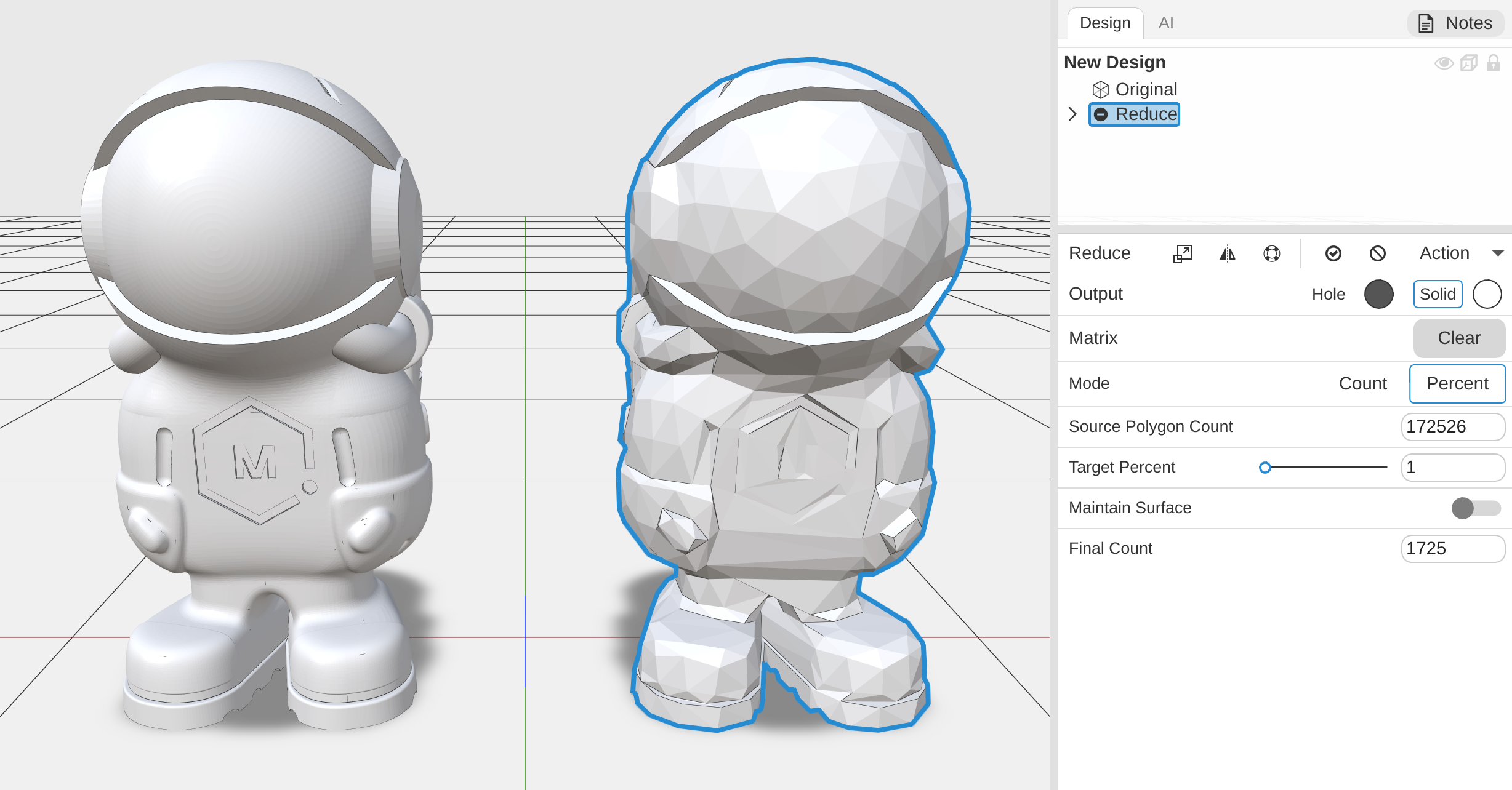
How to Use
- Select an object
- Click Reduce in the Mesh group of the toolbar
- Choose Percent or Count and set the target
Parameters
- Mode - How you set the target:
- Percent (default) - Keep a percentage of the original polygons
- Count - Aim for a number of polygons
- Source Polygon Count - The original number of polygons (read only)
- Target Count - The number of polygons to keep (shown in Count mode)
- Target Percent - The percentage of polygons to keep (default 50; 1 to 100; shown in Percent mode)
- Maintain Surface - Off by default. Keeps every reduced point on the surface of the original mesh. This is not normally needed and makes the reduction much slower
- Final Count - The number of polygons the percentage gives (read only; shown in Percent mode)
Tips
- 50% reduction usually preserves visual quality well
- Enable Maintain Surface when accuracy matters more than speed
- Reducing polygon count speeds up boolean operations on complex imported models
- Very low polygon counts will visibly degrade the shape -- check the result before committing
Related
- Repair - Fix mesh problems