Smooth Path
Smooth Path evens out small bumps and jagged steps in a 2D path, such as the stair-steps of an outline traced from a picture. Each pass moves every point toward the average of itself and its neighbours, and no point ever moves further than Smooth Distance from where it started, so the overall shape stays the same. To round corners to a chosen size, use Fillet instead.
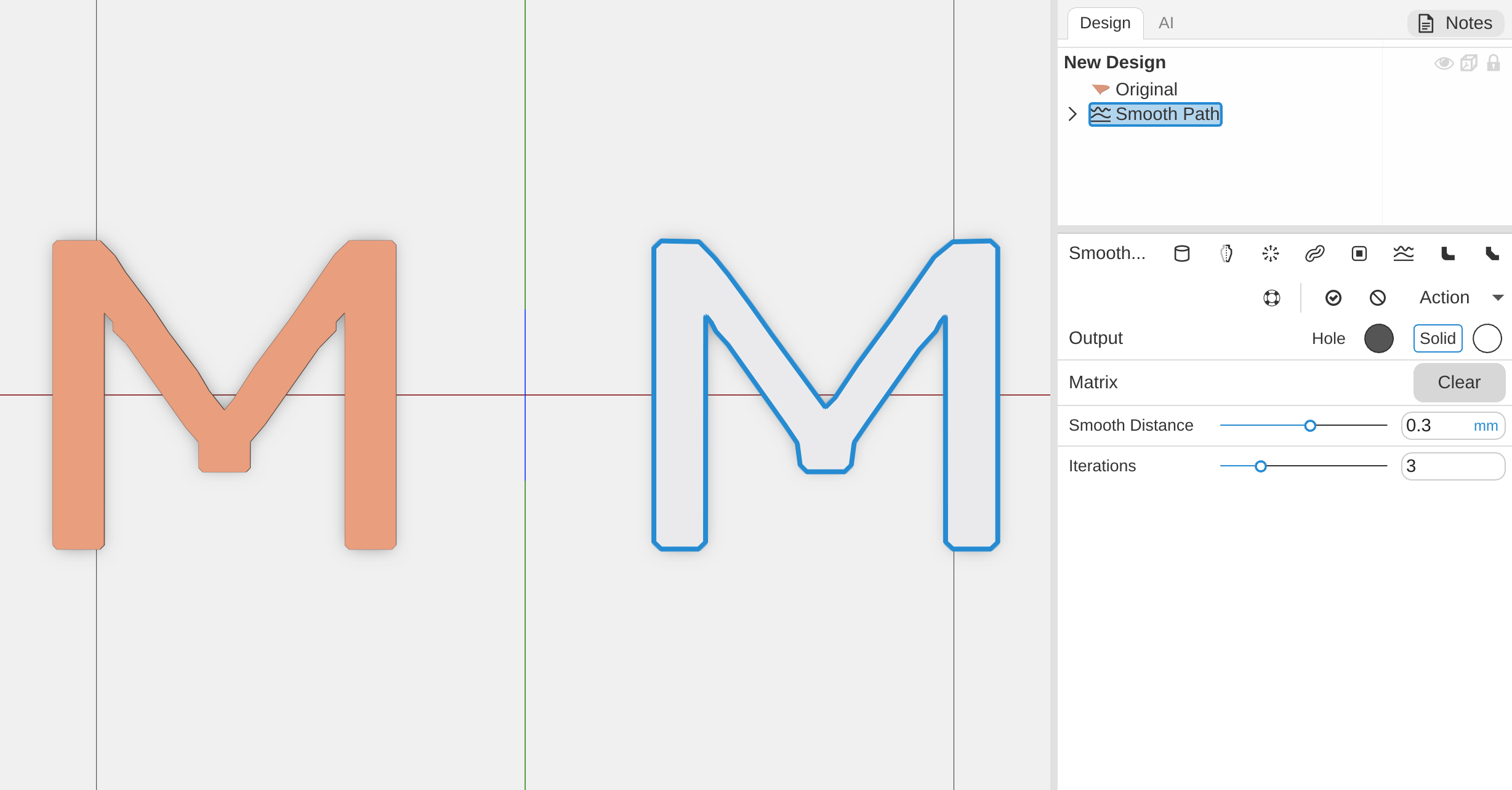
How to Use
- Select a 2D path
- Click Smooth Path in the Path group of the toolbar
- Raise Smooth Distance or Iterations until the bumps are gone
Parameters
- Smooth Distance - The farthest any point may move, in mm (default 0.3; the slider runs 0.01 to 1)
- Iterations - How many smoothing passes to run (default 3; 1 to 10). More passes make a smoother line, up to the Smooth Distance limit
Tips
- Use it on paths from Image to Path to clean up the jagged edges of a traced picture before you extrude it
- Because no point moves further than Smooth Distance, sharp corners only soften slightly; Fillet rounds them properly
Related
- Fillet - Round chosen corners to an exact radius instead of smoothing the whole path
- Chamfer - Cut chosen corners off flat
- Inflate Path - Expand a path outward
- Outline Path - Create an outline from a path
- Linear Extrude - Give the smoothed path height